Imagine buying a brand-new computer. You carefully unpack the shiny screen, keyboard, and mouse. Everything looks perfect, but when you press the power button, nothing useful happens until programs and applications start running.
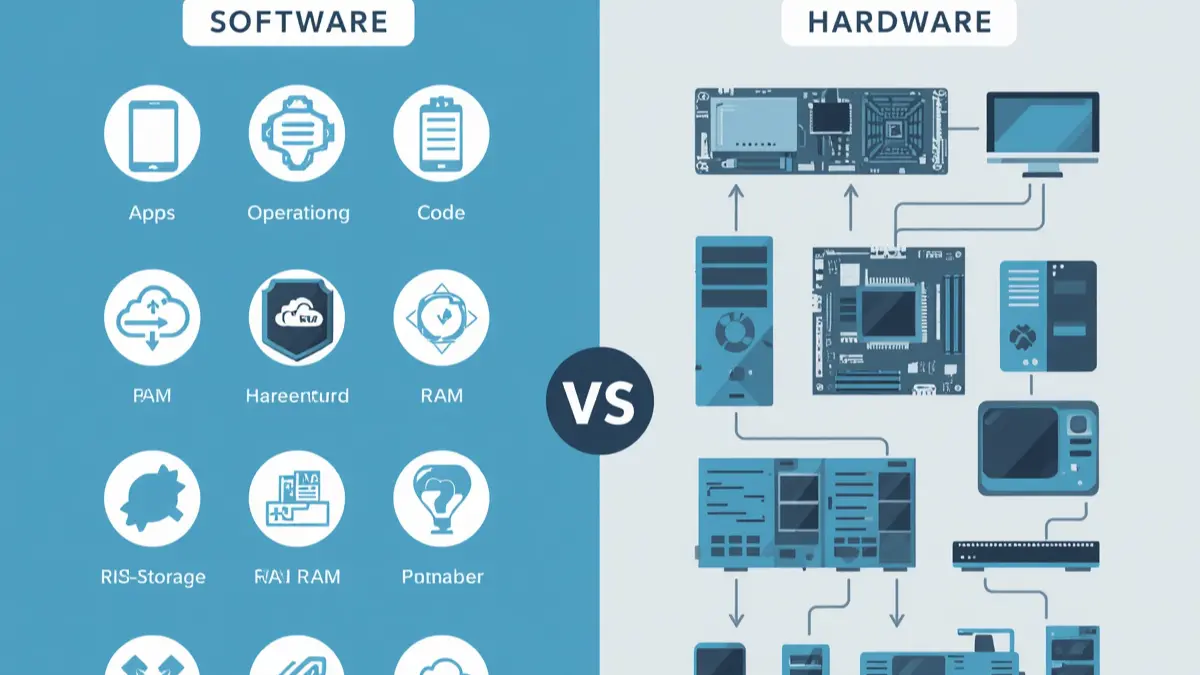
This simple real-life example explains the difference between software and hardware. Hardware is the physical part you can touch, while software is the set of instructions that tells the machine what to do.
Many students, professionals, and beginners search for the difference between software and hardware because both terms are closely connected in daily life. From smartphones and laptops to ATMs and gaming consoles, understanding the difference between software and hardware helps people use technology wisely. In schools, offices, hospitals, and industries, the difference between software and hardware plays a major role in keeping systems efficient and productive.
Technology cannot function properly without the teamwork of software and hardware, making their relationship essential in modern society.
Pronunciation of Software and Hardware
Software
- US Pronunciation: /ˈsɔːft.wer/
- UK Pronunciation: /ˈsɒft.weər/
Hardware
- US Pronunciation: /ˈhɑːrd.wer/
- UK Pronunciation: /ˈhɑːd.weər/
Difference Between Epidural and Spinal: A Complete Easy Guide?
A Quick Hook Before the Main Discussion
Although software and hardware work together inside every digital device, they are completely different in form, purpose, and function. Understanding these differences makes technology easier to learn and use.
Difference Between Software and Hardware
What Is Software?
Software refers to programs, applications, and instructions that tell a computer or device how to perform tasks. It cannot be touched physically.
Examples:
- Microsoft Word
- Google Chrome
Difference Between Comma and Semicolon: A Complete Guide?
What Is Hardware?
Hardware refers to the physical parts of a computer or electronic device that can be touched and seen.
Examples:
- Keyboard
- Monitor
Key Difference Between Software and Hardware
| Basis | Software | Hardware |
| Meaning | Set of instructions | Physical components |
| Physical Form | Cannot be touched | Can be touched |
| Creation | Developed by programmers | Manufactured in factories |
| Damage | Can be corrupted by viruses | Can break physically |
| Maintenance | Updated digitally | Repaired manually |
| Dependency | Needs hardware to run | Needs software to operate |
| Transfer | Easily downloadable | Requires physical movement |
| Lifespan | Can change frequently | Usually lasts longer |
| Examples | Apps, operating systems | CPU, mouse, printer |
| Cost | Often subscription-based | Usually one-time purchase |
Why Is Their Difference Important for Learners and Experts?
Understanding the difference between software and hardware is important because modern society depends heavily on technology. Students need this knowledge to learn computer basics, while professionals use it to troubleshoot technical problems efficiently.
For example, if a computer freezes, identifying whether the issue comes from software or hardware can save time and money. Businesses also depend on both to maintain communication, security, banking systems, transportation, and healthcare services.
Engineers design hardware, while programmers create software. Their cooperation powers the digital world. Without hardware, software cannot run. Without software, hardware becomes useless machinery.
10 Points of Difference Between Software and Hardware
1. Physical Presence
Software
Software has no physical shape.
Examples:
- Windows 11
- Adobe Photoshop
Hardware
Hardware exists physically.
Examples:
- CPU
- Scanner
2. Touchability
Software
You cannot touch software physically.
Examples:
- Antivirus program
- Mobile apps
Hardware
Hardware can be touched and handled.
Examples:
- Mouse
- Webcam
3. Method of Creation
Software
Software is coded by programmers.
Examples:
- Operating systems
- Video games
Hardware
Hardware is assembled in factories.
Examples:
- Motherboard
- RAM
4. Damage Type
Software
Software may get corrupted or infected by malware.
Examples:
- Virus attack
- Corrupted files
Hardware
Hardware may physically fail or break.
Examples:
- Broken keyboard
- Burned processor
5. Maintenance
Software
Software requires updates and patches.
Examples:
- App updates
- Security updates
Hardware
Hardware needs cleaning or replacement.
Examples:
- Replacing battery
- Repairing monitor
6. Lifespan
Software
Software changes frequently with newer versions.
Examples:
- Android upgrades
- Updated browser versions
Hardware
Hardware usually lasts several years.
Examples:
- External hard drive
- Desktop monitor
7. Transferability
Software
Software can be shared digitally.
Examples:
- Download links
- Cloud applications
Hardware
Hardware must be moved physically.
Examples:
- Printer shipment
- Laptop transportation
8. Dependency
Software
Software cannot work without hardware.
Examples:
- Mobile apps need phones
- Games need consoles
Hardware
Hardware also needs software instructions.
Examples:
- Printer drivers
- BIOS software
9. Cost Structure
Software
Software may involve subscription fees.
Examples:
- Netflix app
- Microsoft 365
Hardware
Hardware usually requires physical purchase.
Examples:
- Graphics card
- Mechanical keyboard
10. Upgrade Process
Software
Software upgrades happen digitally.
Examples:
- App updates
- Cloud upgrades
Hardware
Hardware upgrades require physical replacement.
Examples:
- Installing new RAM
- Changing SSD
Nature and Behaviour of Both
Nature and Behaviour of Software
Software is flexible, dynamic, and regularly updated. It changes according to user needs and technological advancements. Software can be copied, modified, and improved quickly.
Nature and Behaviour of Hardware
Hardware is physical, stable, and durable. It performs mechanical and electronic functions. Hardware usually changes slowly because replacing physical parts costs more money and effort.
Why Are People Confused About Their Use?
People often confuse software and hardware because both work together continuously. For example, when someone uses a smartphone app, they only see the screen activity and may not realize the device’s physical components are equally important.
Another reason is that modern devices combine both seamlessly. Beginners may not understand whether a problem comes from a software issue or hardware malfunction.
Difference and Similarity Between Software and Hardware
| Feature | Software | Hardware | Similarity |
| Function | Gives instructions | Executes tasks | Both help devices work |
| Form | Virtual | Physical | Both are essential |
| Dependency | Needs hardware | Needs software | Work together |
| Maintenance | Digital updates | Physical repair | Both require maintenance |
| Purpose | Controls operations | Supports operations | Improve productivity |
Which Is Better in What Situation?
When Software Is Better
Software is better when flexibility, automation, and digital functionality are required. For example, businesses use accounting software to manage finances quickly and accurately. Educational apps help students learn online from anywhere. Software allows instant communication, entertainment, and cloud storage. It is easier to update and customize according to user needs. In situations where speed, convenience, and automation matter most, software becomes more valuable because it can improve productivity without changing physical equipment.
When Hardware Is Better
Hardware is better when physical performance and durability are needed. High-quality hardware improves gaming, video editing, and engineering tasks. For example, a powerful graphics card enhances gaming performance, while a fast processor speeds up complex calculations. Hardware is essential in factories, hospitals, and transportation systems where machines perform physical tasks. In situations requiring strength, storage, and physical operation, reliable hardware becomes more important because software alone cannot function without it.
How the Keywords Are Used in Metaphors and Similes
Software in Metaphors and Similes
- “Her mind worked like software processing endless data.”
- “Good habits are the software of success.”
Hardware in Metaphors and Similes
- “His muscles were hardware built for hard work.”
- “The building’s structure acted like the hardware of the company.”
Connotative Meaning of Both Keywords
Software
Positive Connotation
- Innovation
- Intelligence
- Automation
Example:
“Modern software makes life easier.”
Neutral Connotation
- Digital programs
Example:
“The office installed new software.”
Negative Connotation
- Viruses or system crashes
Example:
“Faulty software caused data loss.”
Hardware
Positive Connotation
- Strength
- Durability
- Stability
Example:
“Quality hardware improves performance.”
Neutral Connotation
- Machine components
Example:
“The hardware was upgraded.”
Negative Connotation
- Expensive repairs
Example:
“Damaged hardware stopped production.”
Idioms or Proverbs Related to the Words
Although there are few traditional idioms directly related to software and hardware, modern expressions are commonly used.
“Hardware is only as good as the software running it.”
Meaning: Both systems must work together.
Example:
“A fast computer still performs badly with poor software.”
“Upgrade your software before blaming the hardware.”
Meaning: Improve your skills or methods before criticizing tools.
Example:
“The manager advised the team to improve strategies before replacing machines.”
Works in Literature Related to Software and Hardware
- “Neuromancer” — Science Fiction, William Gibson, 1984
- “Do Androids Dream of Electric Sheep?” — Science Fiction, Philip K. Dick, 1968
- “The Soul of a New Machine” — Non-fiction, Tracy Kidder, 1981
- “Snow Crash” — Cyberpunk, Neal Stephenson, 1992
Movies Related to Software and Hardware
- “The Matrix” — 1999, USA
- “Her” — 2013, USA
- “Ex Machina” — 2014, UK
- “Tron” — 1982, USA
- “I, Robot” — 2004, USA
Frequently Asked Questions
1. What is the main difference between software and hardware?
Software is a set of instructions, while hardware consists of physical computer parts.
2. Can hardware work without software?
No. Hardware needs software instructions to perform tasks.
3. Can software exist without hardware?
No. Software requires hardware devices to run.
4. Which is more expensive: software or hardware?
It depends on the product. Some advanced software subscriptions cost more, while high-end hardware can also be very expensive.
5. Why should students learn the difference between software and hardware?
It helps them understand computers, solve technical problems, and improve digital skills.
How Both Are Useful for Surroundings
Software and hardware improve communication, education, healthcare, transportation, and business operations. Hospitals use medical software with hardware machines for patient care. Schools use computers and educational apps for online learning. Banks depend on secure software and hardware systems for financial transactions. Together, they make modern life faster, smarter, and more connected.
Final Words for Both
Software represents intelligence and digital control, while hardware represents physical power and structure. Both are inseparable parts of modern technology. Their coordination drives innovation and shapes the future of society.
Conclusion
The difference between software and hardware is one of the most important concepts in technology. Hardware refers to the physical components of devices, while software includes the programs and instructions that make those devices useful. Both depend on each other for proper functioning. Understanding their differences helps students, professionals, and everyday users operate technology more effectively.
From smartphones to industrial machines, software and hardware work together to power modern society. Learning about them not only improves technical knowledge but also helps people solve practical problems in daily life. In the digital age, recognizing the role of both is essential for education, communication, and innovation.

Henry is a passionate English professor, language specialist, and the founder of SpellCompare.com. With years of academic experience and a deep understanding of grammar, vocabulary, and linguistic nuances, he has dedicated his career to helping students and writers master the English language with clarity and confidence.
As an expert in word comparisons, spelling differences, and grammar rules, Henry simplifies complex language concepts into easy-to-understand explanations. His mission is to eliminate confusion between commonly misused words and provide accurate, research-based guidance that improves writing skills for learners worldwide.
Through SpellCompare.com, Henry combines academic expertise with practical examples, creating content that is clear, reliable, and reader-friendly. His work focuses on precision, correctness, and helping others communicate effectively in both academic and professional settings.
When he’s not teaching or writing, Henry continues researching evolving language trends to ensure his content remains current, helpful, and authoritative.