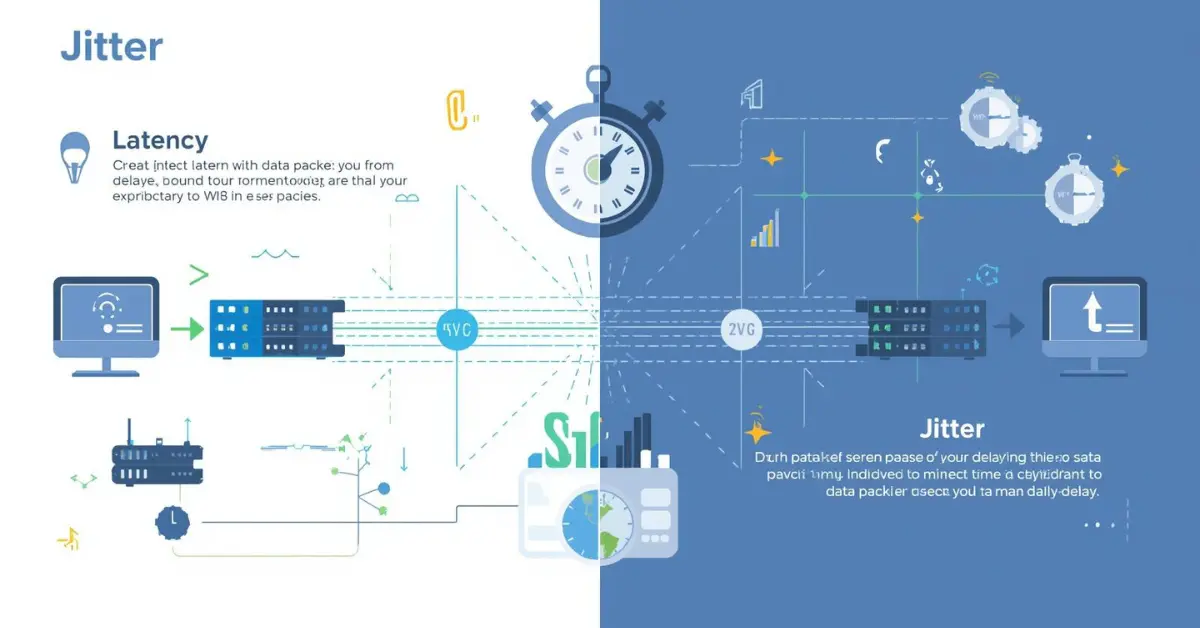
Imagine you are on an important video call with a colleague or friend. The voice suddenly becomes choppy, or the response takes a few seconds to reach you. This situation often makes people wonder about the difference between jitter and latency. In everyday digital communication, both terms describe how smoothly data travels across a network.
When learning about the difference between jitter and latency, it helps to think of internet data as cars moving on a highway. Latency is like the time a car takes to travel from one city to another, while jitter is the variation in the speed of those cars during the journey.
Understanding the difference between jitter and latency is important for gamers, video streamers, and IT professionals because it affects how quickly and smoothly information moves online. By recognizing the difference between jitter and latency, people can diagnose network problems and improve communication quality in modern society.
Key Difference Between the Both
The primary difference is that latency measures delay, while jitter measures variation in delay. Latency tells us how long it takes for data to travel from sender to receiver, whereas jitter shows how inconsistent that travel time is between packets.
Why Is Their Difference Necessary to Know for Learners and Experts?
Understanding the difference between jitter and latency is crucial because both affect digital communication, online education, remote work, and entertainment. Learners studying networking must know how delays and variations influence system performance. Experts, such as network engineers, use this knowledge to optimize internet connections, reduce lag in gaming, and ensure stable video conferencing. In a society that relies heavily on digital communication, recognizing the difference between jitter and latency helps maintain reliable connectivity, improve productivity, and enhance user experiences across platforms.
Pronunciation
Jitter
- US: /ˈdʒɪt̬.ɚ/
- UK: /ˈdʒɪt.ə/
Latency
- US: /ˈleɪ.tən.si/
- UK: /ˈleɪ.tən.si/
Before diving deeper into technical explanations, it is helpful to examine the difference between jitter and latency through practical comparisons and examples.
Difference Between Jitter and Latency
1. Basic Meaning
Latency refers to the time delay between sending a data packet and receiving it.
Example 1: In online gaming, high latency causes a delay between pressing a button and seeing the action.
Example 2: During a video call, latency may cause a pause before the other person hears you.
Jitter refers to the variation in the arrival time of packets.
Example 1: In VoIP calls, jitter causes voices to sound broken or uneven.
Example 2: During streaming, jitter can create sudden audio interruptions.
2. Measurement
Latency is measured in milliseconds (ms) representing total delay.
Example 1: A ping of 20 ms indicates low latency.
Example 2: A ping of 200 ms indicates high latency.
Jitter is also measured in milliseconds but represents the variation between packets.
Example 1: If packets arrive at 20 ms, 25 ms, and 21 ms, jitter exists.
Example 2: If packets arrive consistently at 20 ms, jitter is minimal.
3. Impact on Communication
Latency mainly causes delays in responses.
Example 1: Slow website loading.
Example 2: Delay between speaking and hearing on a call.
Jitter mainly causes instability or choppy communication.
Example 1: Robotic voice during a call.
Example 2: Video freezing during streaming.
4. Causes
Latency can be caused by long distance, slow servers, or congestion.
Example 1: Accessing a server in another country.
Example 2: Overloaded network during peak hours.
Jitter is usually caused by inconsistent packet routing.
Example 1: Network congestion.
Example 2: Switching between wireless signals.
5. Effect on Gaming
Latency affects response speed in games.
Example 1: Character moves slowly after command.
Example 2: Shooting action registers late.
Jitter affects smooth gameplay.
Example 1: Character movement becomes jumpy.
Example 2: Objects appear to teleport.
6. Network Stability
Latency can remain constant even if it is high.
Example 1: Stable but slow connection.
Example 2: Consistent 150 ms delay.
Jitter shows unstable network behavior.
Example 1: Delay fluctuates between 20–100 ms.
Example 2: Packet arrival times constantly change.
7. User Experience
Latency creates waiting time.
Example 1: Slow webpage response.
Example 2: Delay in online transactions.
Jitter creates irregular communication.
Example 1: Broken audio in calls.
Example 2: Skipping frames in video.
8. Detection
Latency is often detected using ping tests.
Example 1: Ping command in command prompt.
Example 2: Online latency testing tools.
Jitter is detected through packet delay variation tests.
Example 1: VoIP monitoring tools.
Example 2: Network diagnostic software.
9. Technical Focus
Latency focuses on total travel time.
Example 1: Time between sending and receiving.
Example 2: Delay in server response.
Jitter focuses on time consistency.
Example 1: Packet arrival intervals.
Example 2: Delay fluctuations.
10. Solutions
Latency can be reduced by improving network speed.
Example 1: Upgrading internet plans.
Example 2: Using closer servers.
Jitter can be reduced by stabilizing network traffic.
Example 1: Using wired connections.
Example 2: Implementing jitter buffers.
Nature and Behaviour
Latency
Latency behaves like a constant travel delay. If the delay is stable, communication can still function smoothly even if it is slightly slow.
Jitter
Jitter behaves unpredictably. Even small variations can disrupt voice or video transmissions because packets arrive out of order.
Why People Are Confused About Their Use
People often confuse latency and jitter because both relate to delays in network communication. When a call lags or a game freezes, users usually blame “slow internet.” However, the real issue may be latency causing delay or jitter causing inconsistency. Since both problems appear similar to users, distinguishing them requires understanding their technical definitions.
Table Showing Difference and Similarity
| Aspect | Jitter | Latency | Similarity |
| Meaning | Variation in packet arrival time | Delay in packet travel time | Both affect network performance |
| Measurement | Packet delay variation | Time delay in ms | Both measured in milliseconds |
| Impact | Choppy communication | Slow communication | Both affect calls and gaming |
| Cause | Network instability | Distance or congestion | Both caused by network conditions |
| Solution | Jitter buffer, stable connection | Faster routing or servers | Both improved by better networks |
Which Is Better in What Situation?
Latency (100 words)
Latency matters most when response time is critical. Online gaming, financial trading, and live communication require very low latency because every millisecond affects performance. For example, in competitive gaming, even a small delay can determine whether a player wins or loses. Similarly, remote surgery systems and real-time collaboration tools rely on minimal latency to ensure quick and accurate communication. In such environments, a slightly stable but low latency connection is preferred, even if small variations exist. Therefore, minimizing latency is essential when immediate response and quick data transmission are the primary goals.
Jitter (100 words)
Jitter becomes more important when communication must remain smooth and consistent. Voice over Internet Protocol (VoIP) calls, video streaming, and live broadcasts require stable packet delivery. Even if latency is slightly higher, low jitter ensures that data packets arrive in a predictable sequence. This stability keeps audio clear and video smooth. For instance, during a video conference, participants can tolerate a small delay but cannot tolerate broken speech or frozen images caused by jitter. In these scenarios, maintaining low jitter is crucial for preserving the quality and continuity of digital communication.
Use in Metaphors and Similes
- Latency metaphor: “His reply had the latency of a slow satellite signal.”
- Jitter metaphor: “Her thoughts jumped like jittery packets on a busy network.”
Simile examples:
- “The delay was like latency in a distant server.”
- “His nervous speech was like jitter in unstable internet traffic.”
Connotative Meanings
Latency
- Generally neutral or negative.
Example: “The latency in decision-making slowed the project.”
Jitter
- Usually negative because it suggests instability or nervousness.
Example: “The jitter in the broadcast ruined the live interview.”
Idioms or Proverbs Related to the Words
While no traditional idioms exist specifically for these technical terms, related expressions can be used.
Latency example:
- “Good things come to those who wait.”
Example sentence: The latency in the system reminded the team that good results sometimes take patience.
Jitter example:
- “Nervous as a cat on a hot tin roof.”
Example sentence: The unstable network behaved like a jittery system.
Works in Literature Mentioning the Terms
- Latency and Digital Communication – Technology essay collection, various authors, 2015
- The Age of Network Delay – Non-fiction technology analysis, 2018
- Signal Noise and Jitter – Technical research writing, 2012
Movies Related to Networking or Digital Delay Themes
- The Social Network (2010, USA)
- Black Mirror: Bandersnatch (2018, UK/USA interactive film)
- Hackers (1995, USA)
Frequently Asked Questions
1. What is the main difference between jitter and latency?
Latency measures delay, while jitter measures variation in delay.
2. Which is worse for video calls?
High jitter usually causes more noticeable problems because it breaks audio and video flow.
3. Can you have high latency but low jitter?
Yes, a connection can be slow but stable.
4. How can jitter be reduced?
Using wired connections, stable networks, and jitter buffers.
5. Why do gamers worry about latency?
Because latency directly affects response time during gameplay.
How Both Are Useful for Surroundings
Both concepts help improve communication infrastructure. Understanding latency helps engineers design faster networks, while controlling jitter ensures smoother digital communication. Together, they support modern activities such as online learning, remote work, telemedicine, and digital entertainment.
Final Words for Both
Latency and jitter are essential metrics for evaluating network performance. While latency focuses on speed, jitter focuses on stability. Managing both ensures reliable digital communication in everyday life.
Conclusion
Understanding the difference between jitter and latency is essential for anyone using the internet for communication, entertainment, or work. Latency measures the delay in data transmission, while jitter measures the variation in that delay.
Although they are closely related, their impacts on network performance are different. High latency slows down responses, while high jitter disrupts the consistency of communication. By recognizing the difference between jitter and latency, users and professionals can identify network problems and apply suitable solutions.
In today’s digital world, where online interaction is part of daily life, controlling both latency and jitter helps ensure smooth, reliable, and efficient communication across global networks.

My name is SwiftSphere, and I am a passionate English language author and the creator of Spellcompare.com. I specialize in word comparisons, grammar clarity, and simplifying confusing English terms for readers around the world.
As a professional writer, I focus on breaking down commonly misunderstood words, phrases, and language rules into clear, practical explanations. My goal is to make English easier, more accurate, and more accessible for students, professionals, and everyday learners.
Through Spellcompare.com, I provide well-researched, easy-to-understand content that helps readers confidently choose the right words in writing and speech. Whether it’s comparing similar spellings, explaining grammar rules, or clarifying tricky vocabulary, I am committed to delivering precise and reliable guidance.
I believe that strong language skills create strong communication — and strong communication creates opportunity. That belief drives my work every day.